
Xero Accounting Software
We use Xero as the accounting software for entering sales invoices relating to the Leaders program you are facilitating (including Executive Members, Industry Experts, Industry Partners, Alumni Members, Future Leaders, Founders, Government Programs and other initiatives linked to the licence).
We use this software to centralise income relating to your Leaders program, help you manage overdue accounts, and accurately determine licence fees, etc.
Please note that you will require your own accounting software to manage your own business, including expenses and wages, etc. Xero may be an option for you, and other packages such as MYOB are also available
General Information Relating to Xero
- You have access to the International Leaders Xero account. You should only access details about your own Series.
- Invoices are only setup once the agreement has been signed.
- Should you need to delete a current invoice, use the void option if it was created within the same month.
- Anything outside of the current month a credit note must be applied
- Ensure that the selected chart of account code is accurate; otherwise, it will not be included in your end-of-month revenue transactions. We do not review these.
- Invoices are issued with a maximum payment term of 30 days.
Please Do Not
- Apply payments to invoices, this is managed by International Leaders.
- Change any invoice templates without prior approval.
Login
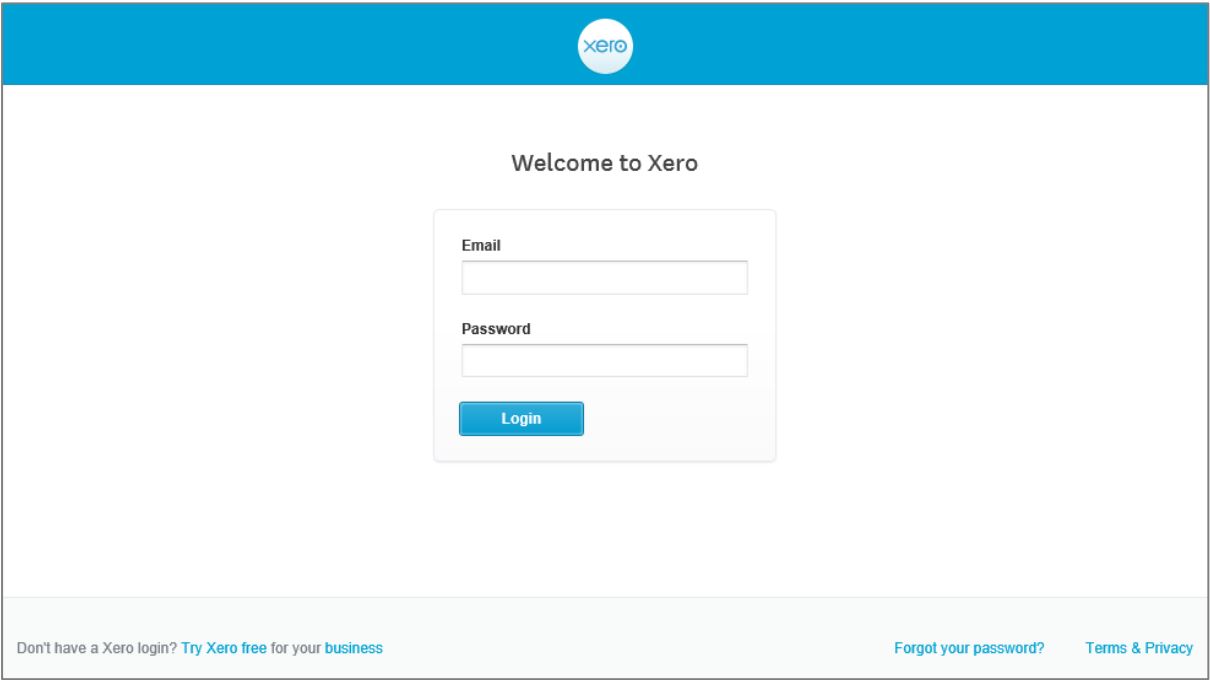
- Go to https://login.xero.com (we recommend saving this to your internet bookmarks / favourites);
- International Leaders will set you up as a user and you will receive an email inviting you to the IL’s Xero account.
- To access Xero you will be required to complete a 2 step authentication process.
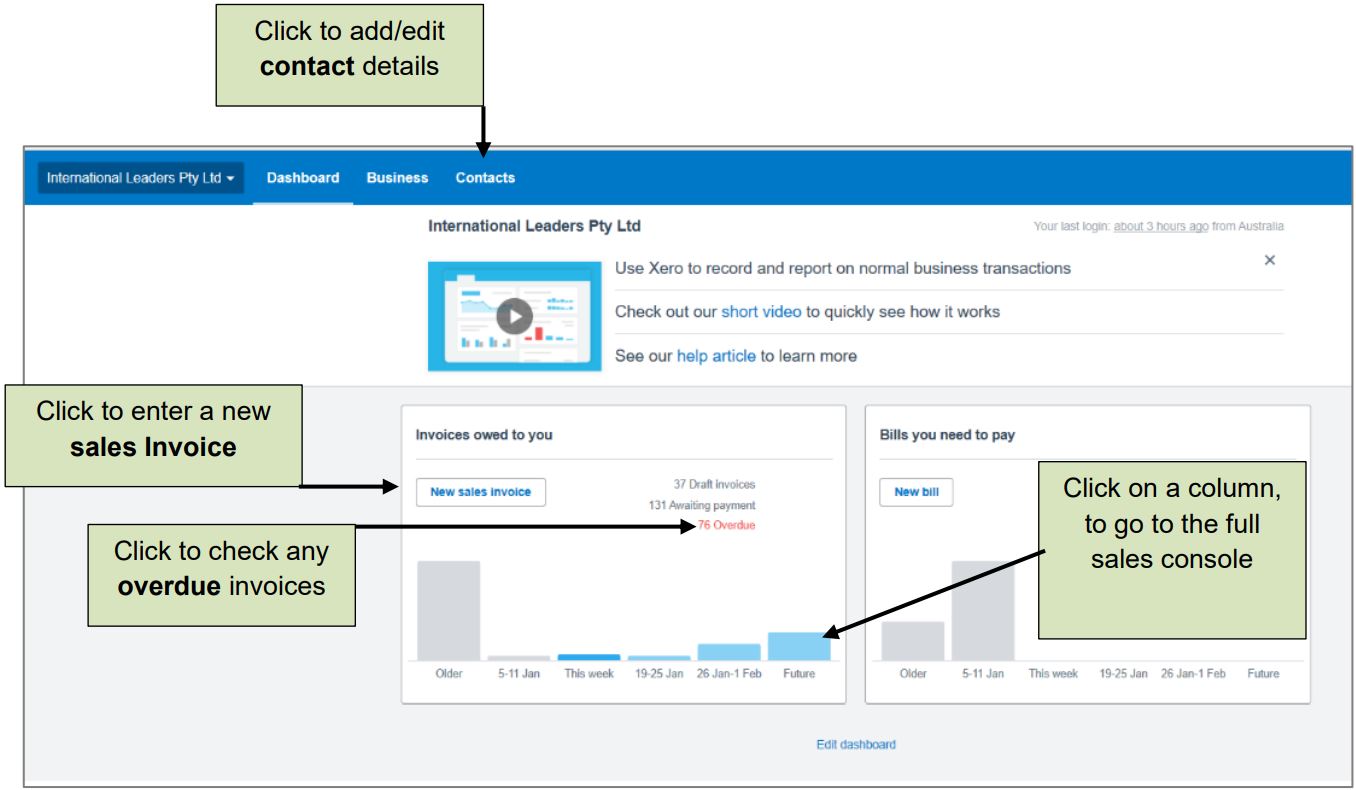
Dashboard
Check Sales Status
You can search the system to check the status of invoices you have.
First, Click on Invoices Owed to you.
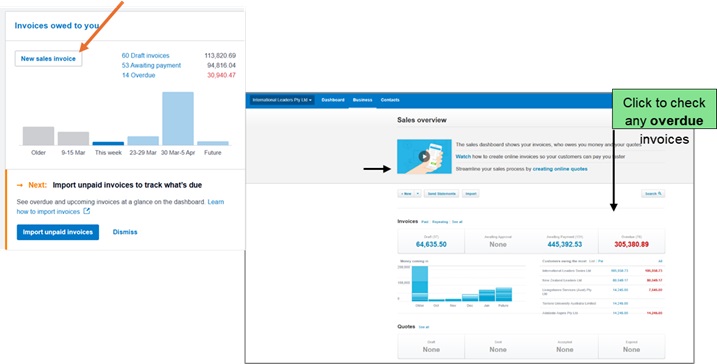 In this area, you are able to search for invoices that are:
- Paid
- Awaiting Payment – (Overdue)
- Invoices in Draft
- Repeating Invoice
Search Function
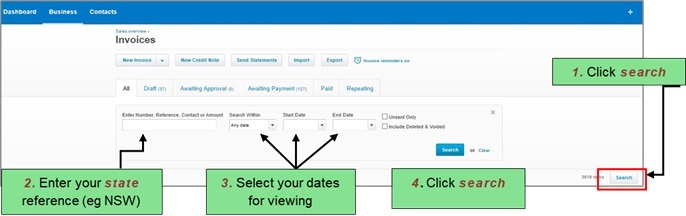
Use the search function with your Series Reference